
Home

Writing & Content

AI Tools27Text Tools25PDF Tools24

Developer & Build

Developer Tools24File Converters9Color & Design15SEO & Web13

Media

Image Tools23Fun & Games18

Everyday

Calculators27Health & Fitness11Utility Tools12Time & Productivity9Lifestyle9
Browse all 246 tools
Guides

ToolWise

Free Online Tools

246+ free online tools for students, developers, designers, and professionals. No signup required. 100% free forever, and most tools run entirely in your browser for total privacy.

Browse by Category

  • AI Tools
  • Text Tools
  • PDF Tools
  • Image Tools
  • File Converters
  • Developer Tools
  • SEO & Web
  • Calculators
  • Color & Design
  • Time & Productivity
  • Lifestyle
  • Health & Fitness
  • Fun & Games
  • Utility Tools
  • All 246Tools →

AI & Text Tools

  • AI Summarizer
  • Grammar Checker
  • Paraphraser
  • Word Counter
  • Case Converter
  • AI Email Writer

Image & PDF Tools

  • Background Remover
  • Image Compressor
  • Image to Text (OCR)
  • PDF to Text
  • Text to PDF
  • YouTube Thumbnail

Calculators & Dev

  • Compound Interest
  • BMI Calculator
  • SIP Calculator
  • Loan EMI Calculator
  • JSON Formatter
  • Regex Tester

Popular Guides

  • 10 Developer Tools
  • SEO Meta Tags Guide
  • Image Compression Guide
  • Secure Passwords Guide
  • Compound Interest Guide
  • JSON Debugging Guide

Company

  • All Tools
  • All Guides
  • About ToolWise
  • Our Founder
  • Editorial Policy
  • Contact

© 2026 ToolWise — 246+ Free Online Tools. All rights reserved.

Privacy PolicyTerms of ServiceEditorial PolicyContact

ToolWise offers 246+ free online tools — including an AI summarizer, grammar checker, paraphraser, JSON formatter, word counter, image compressor, background remover, PDF converter, QR code generator, BMI calculator, and many more browser-based utilities for students, writers, and developers. No signup, no upload, no limits.

Advertisement
HomeToolsFun & GamesSnake Game
Fun & GamesGame

Snake Game

Classic Snake on a canvas with arrow-key and swipe controls, adjustable speed, a wall-wrap toggle, and a persistent high score. 100% offline, instant play.

TA
Tanbir Ahamed·Founder of ToolWise · Software Engineer
Published July 2026Updated August 2026

Interactive Tool Workspace

Score 0 0
Press Play or any arrow key

Arrows / WASD / swipe to turn · space to pause is unavailable (use the button)

How to Use

  1. 1Press Play or any arrow key to begin.
  2. 2Steer with arrow keys, WASD, or swipe.
  3. 3Eat the red dot to grow and score points.
  4. 4Avoid biting your own body — and the walls unless Wall wrap is on.
  5. 5Pause and resume anytime; speed is in the Settings panel.

Features

  • ✓Classic Snake rendered on an animated canvas
  • ✓Arrow keys, WASD, and touch-swipe controls
  • ✓Adjustable game speed (50–200 ms per tick)
  • ✓Wall-wrap toggle for casual vs edge-of-board play
  • ✓Persistent best score saved in this browser
  • ✓Pause / resume / reset controls
Comprehensive Guide & Reference

The Complete Guide to Playing Snake and Beating Your High Score

Learn how the classic Snake game is played, the control and speed settings that work for different skill levels, and the wall-vs-wraparound decision that changes everything.
1. How Snake Works and What Kills You

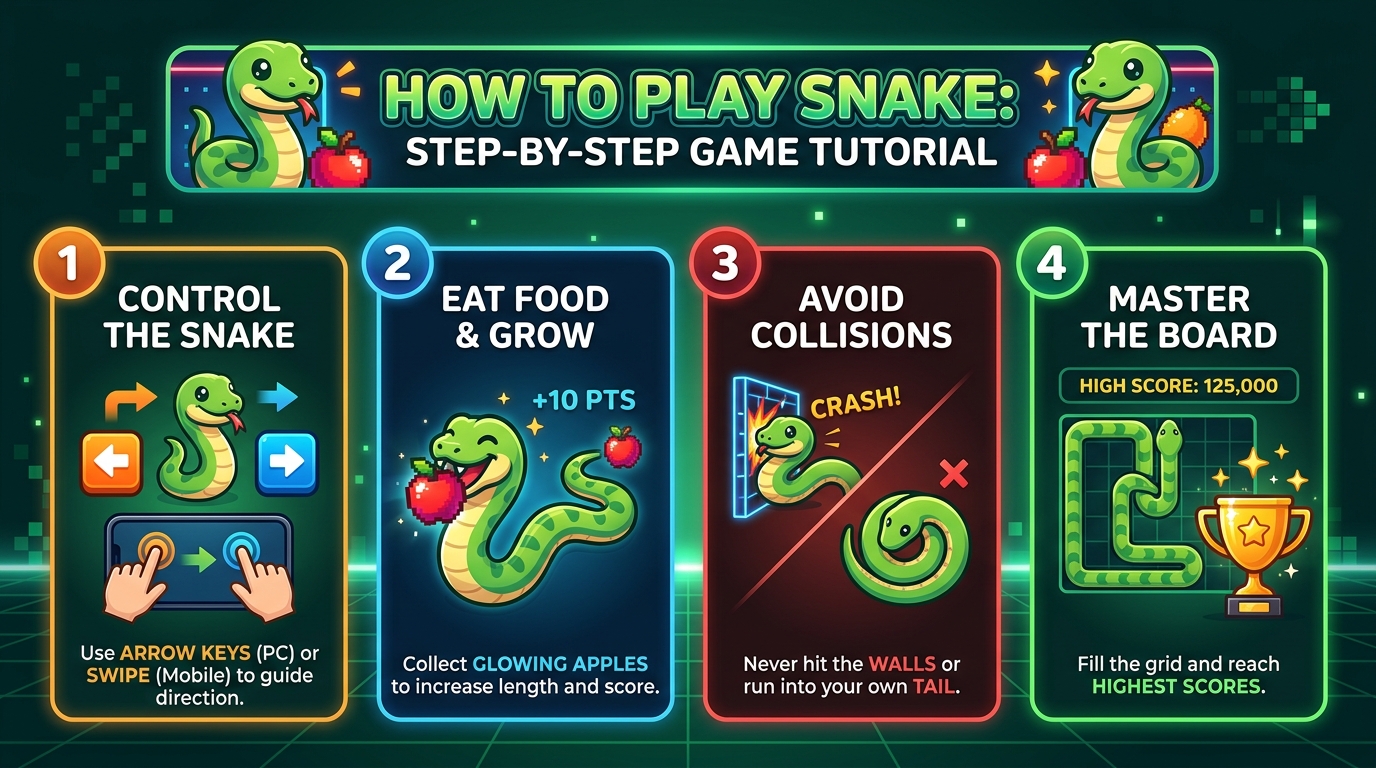
Snake drops you onto an empty grid with a short snake of one or two segments. Every tick of the game, the snake advances one cell in the direction it is currently facing. Use the arrow keys (or WASD, or swipe on touch) to turn the snake. Eating a piece of food lengthens the snake by one segment and spawns a new piece of food somewhere else on the grid. You die instantly if you steer the snake into a wall (in wall-death mode), into your own body, or if you reverse direction straight into your own neck.

Because the snake grows every time it eats, the playable area shrinks as the game goes on. Early levels feel spacious; late levels are a careful ballet of loops because your tail is now blocking most of the board. The trick is to plan your next two turns, not just the next one.

2. Wall-Death vs Wraparound Mode

Two rule variants exist and they feel like completely different games. Wall-death mode treats the grid border as solid: bumping it ends the game immediately, so you must turn before reaching the edge. Wraparound mode lets the snake exit one side of the grid and reappear on the opposite side, effectively making the board a continuous torus with no borders to crash into.

Wraparound is the more forgiving mode and the natural starting point. Wall-death is the classic arcade feel and rewards careful edge work: leave a one-cell gap from the wall so you always have room to swerve. Switch to wall-death once you can comfortably reach 50 points in wraparound.

3. The Speed Slider and How to Use It

Most Snake implementations refresh at a fixed tick rate. ToolWise Snake exposes a speed slider so you can dial the difficulty yourself. Slow speeds give you plenty of time to plan and are ideal for warming up or chasing long high-score runs. Fast speeds punish hesitation and reward reflexes; even 150ms ticks feel manic after a few food pickups because the snake covers the screen much faster.

A sensible starting point is around 200 milliseconds per tick. Drop it by 25ms each time you score 100 points in a session, and your reflexes will tune themselves up over a few rounds.

4. Three Habits That Lift Your Score

  • Follow your own tail. When the snake gets long, trace a planned path that hugs your own tail so you always know where the next gap will appear.
  • Never turn your snake back on itself. A direct reversal (right to left, up to down) is instant death. Always turn at right angles.
  • Treat the corners as safe zones. In wall-death mode, sweeping through corners gives you predictable turn points without trapping yourself.

Conclusion

Snake is one of the oldest and purest arcade games: four directions, one growing obstacle, and a single wrong keystroke between you and a high score. ToolWise Free Online Snake gives you wall-death and wraparound modes, an adjustable speed slider, and a best-score kept in your browser. Set the speed you like, pick a mode, and start the longest snake you can grow.

Frequently Asked Questions

How do I control the snake?
Use the arrow keys (or WASD) on desktop. On touch devices, swipe in the direction you want the snake to turn. The snake cannot reverse into itself — pressing the opposite direction is ignored.
What does "Wall wrap" do?
When wall-wrap is off, hitting the edge ends the game. Toggle it on and the snake passes through the wall to the opposite side — a gentler variant for casual play. Speed keeps the same.
How is the high score saved?
Your best score is saved in localStorage on this device. It's restored the next time you visit this page. Clear your browser storage to reset it.
Can I make the game faster?
Yes — open Settings to drag the speed slider from slow (200ms/tick) to fast (50ms/tick). Changes apply immediately and the running game picks them up on the next tick.

Related Tools

Spin Wheel
Random Number Generator
Coin Flip
Dice Roller
Typing Speed Test
Reaction Time Test

Related Guides

10 Fun Online Games to Play During Breaks
10 Free Tools Every Developer Needs in 2026
JSON Formatter Guide: Pretty-Print, Minify & Validate
Advertisement