10 Fun Online Games to Play During Breaks
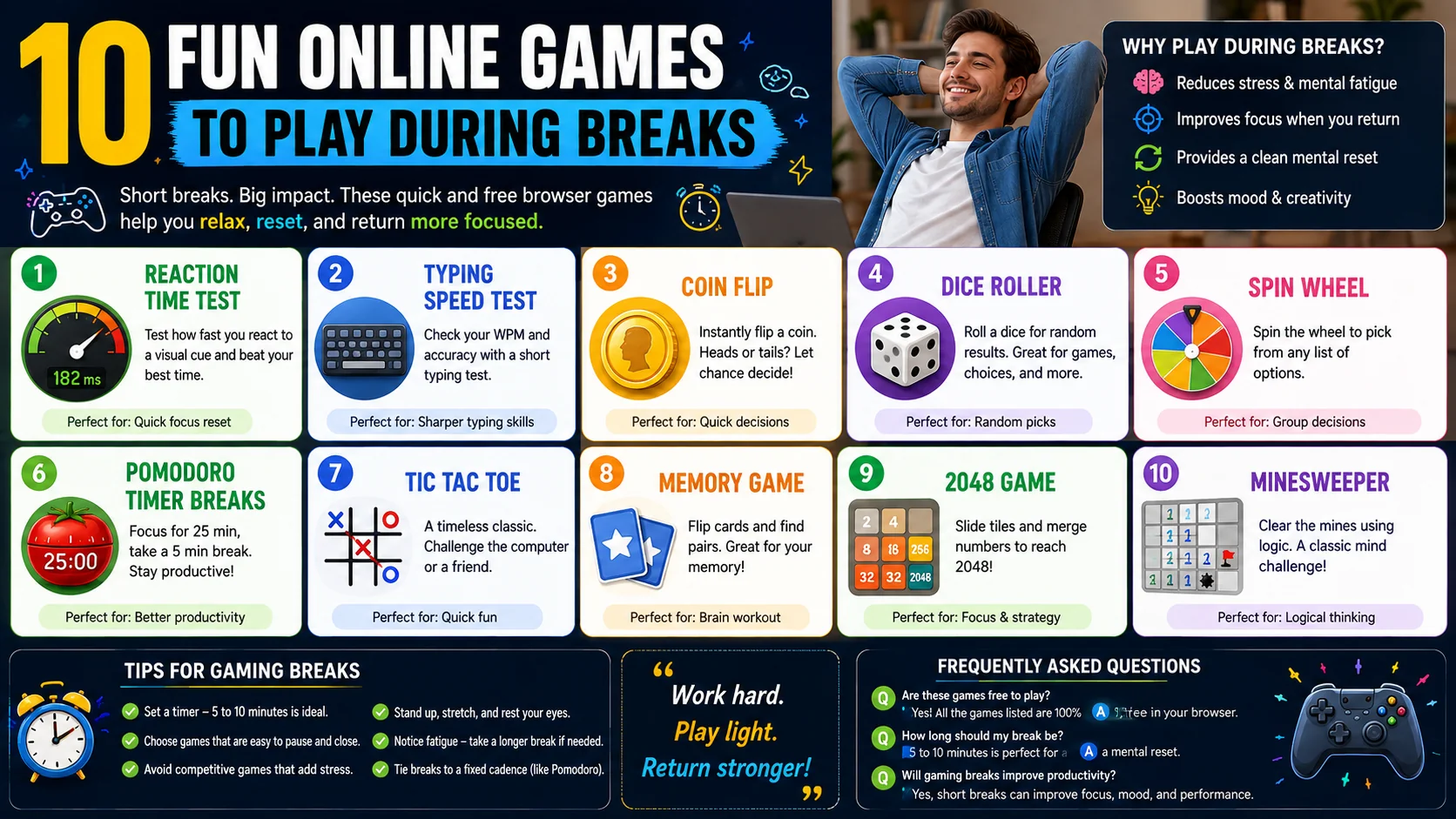
Short, deliberate breaks are one of the most underrated productivity tools. A few minutes away from a hard problem, doing something playful, lets your brain reset — and you return sharper than if you had ground through the fatigue. Below are free browser-based games and quick-fill tools that are perfect for a five-minute break, and most of them double as lightweight cognitive warm-ups.
Why Play During Breaks?
It sounds counterintuitive, but research on attention and fatigue consistently shows that brief breaks restore focus and reduce errors in the work that follows. The trick is choosing breaks that are short, satisfying, and easy to walk away from. Short gaming breaks can boost productivity by:
- Reducing stress and mental fatigue — a few minutes of light play lowers cortisol and relaxes tense shoulders, which accumulates over a long session.
- Improving focus when you return — attention is a finite resource, and stepping away replenishes it the way sleep replenishes alertness.
- Providing a clean mental reset — swapping tasks briefly lets you approach a hard problem with fresh eyes, often seeing the solution you were too close to spot.
- Boosting mood and creativity — playful states are correlated with divergent thinking, which is exactly what you need when you are stuck.
1. Reaction Time Test
The Reaction Time Testmeasures how quickly you respond to a visual cue, giving you a milliseconds score after each round. It is fast, addictive in the best way, and gives you a concrete number to beat — which turns a break into a tiny personal competition.
Beyond the fun, reaction-time tests are a surprisingly good way to gauge fatigue. If your score creeps up over the day, that is data telling you it might be time for a longer break, a snack, or an earlier night.
2. Typing Speed Test
The Typing Speed Testmeasures your words-per-minute and accuracy over a short paragraph. It is a great warm-up at the start of the day and a fun way to spend a five-minute pause — you come back to your real work with fingers already moving.
Tracking your WPM over time is also a quiet productivity win, because typing is the input bottleneck for almost all computer work. A few minutes of practice a week compounds into noticeably faster writing months later.
3. Coin Flip
Sometimes the most useful “game” is just settling a decision. The Coin Fliptool is exactly that — heads or tails, instantly, with no actual coin required. It is the perfect tie-breaker for trivial standoffs with a colleague over lunch, or for breaking your own analysis paralysis between two equally fine options.
There is also a well-known psychological trick: flip the coin, and while it is in the air, notice what you secretly hoped it would land on. That flicker of preference often tells you more than the result does.
4. Memory Match
The Memory Match game is a break that quietly doubles as training. Flip cards, remember where the pairs hide, and clear the board — three difficulty levels let you choose between a two-minute refresher and a genuinely hard workout for your working memory.
It is also a great two-person break for two colleagues on one screen: pass the device, take turns, and the fewest-moves counter turns a coffee break into a friendly duel.
5. Spin Wheel
The Spin Wheel turns a list of options into a satisfying visual decision. Add the names of lunch spots, breakout topics, or chores, give it a spin, and let the wheel pick. It works wonderfully for groups because the suspense of the slowdown is half the fun.
For remote teams, sharing your screen and spinning a wheel for a silly weekly reward or a “who presents next” rotation is a small ritual that builds more warmth than yet another poll.
6. Pomodoro Timer Breaks
A great break deserves a great timer. The Pomodoro Timerstructures 25 minutes of focus followed by a 5-minute break, automatically — so you never have to remember to start your break, and more importantly, never forget to end it.
Pair it with any of the games above for the break portion, and you have a built-in system: work hard, play lightly, repeat. The discipline of a timer is what turns a five-minute game from procrastination into recovery.
Tips for Gaming Breaks
- Set a timer so breaks stay short — five to ten minutes is the sweet spot.
- Choose games that are easy to pause and close. Avoid anything with rounds that trap you into “one more game”.
- Steer clear of competitive games that might increase stress rather than relieve it during a tense workday.
- Stand up, stretch, and look at something far away between games to rest your eyes and back.
- Notice fatigue signals: if your reaction time slows or your mood sours, take a longer or different kind of break.
- Tie breaks to a fixed cadence (like every Pomodoro) so they happen by default rather than by willpower.
More Quick-Fill Games Worth a Slot
The first six tools above cover the most common break needs, but a few more belong in the same rotation for the moments when you want variety without leaving the browser:
- Word Games & Anagram Solvers — a quick vocabulary warm-up that also helps with the crossword or word puzzle you are stuck on later.
- Number Generators — from a true random integer to a lottery-style pick, useful for splitting tasks fairly or seeding a decision nobody wants to own.
- Emoji or Color Pickers — light, visual, and oddly satisfying, good for a two-minute mental palate cleanser between long spreadsheet blocks.
- Pomodoro + break pairing — the timer schedules the break; a quick game fills it; the two together are a complete focus system.
When a Break Helps — and When It Does Not
Breaks are not automatic wins; their value depends on what you were doing and how you return. A five-minute game after 90 minutes of deep work genuinely restores attention, but a game every ten minutes throughout the day is just task-switching wearing a productivity costume. The distinction is intentionality — the same activity can be recovery in one context and avoidance in another.
Watch the return. A good break ends with you re-engaging quickly and feeling steadier; a distraction ends with you dreading the work you left behind and reaching for another round. If your breaks consistently make returning harder rather than easier, the problem is not the game — it is the cadence or the workload, and the timer and the game cannot fix a task that has become genuinely overwhelming. That is a signal to address the work itself, not to take more breaks.
Building Your Own Break Rotation
- Pick three to five favourites so the break never becomes a decision of its own — the whole point is to rest, not to browse.
- Match the game to the state you are in. Mentally foggy? A reaction test. Hands stiff? A typing warm-up. Indecisive? A coin flip or wheel.
- Set the timer before you start. The timer is what separates a recharging pause from an afternoon that disappears.
- Pair physical movement with the digital break. Stand, stretch, and look at a distant point between rounds so your eyes, back, and attention all reset together.
- Review what works. After a week, drop the games that pulled you out of flow and keep the ones that send you back sharper.
Frequently Asked Questions
How long should a gaming break be?
Are these games actually useful or just a distraction?
Do I need to install anything to play?
Can I use these to settle decisions with colleagues?
Will playing during work hours hurt my productivity?
Take your next break the right way
Every game above is free, runs in your browser, and works on any device. Pick one, set a five-minute timer, and come back to work refreshed.
Browse All Tools →