Top 5 Free PDF Tools You Did Not Know Existed
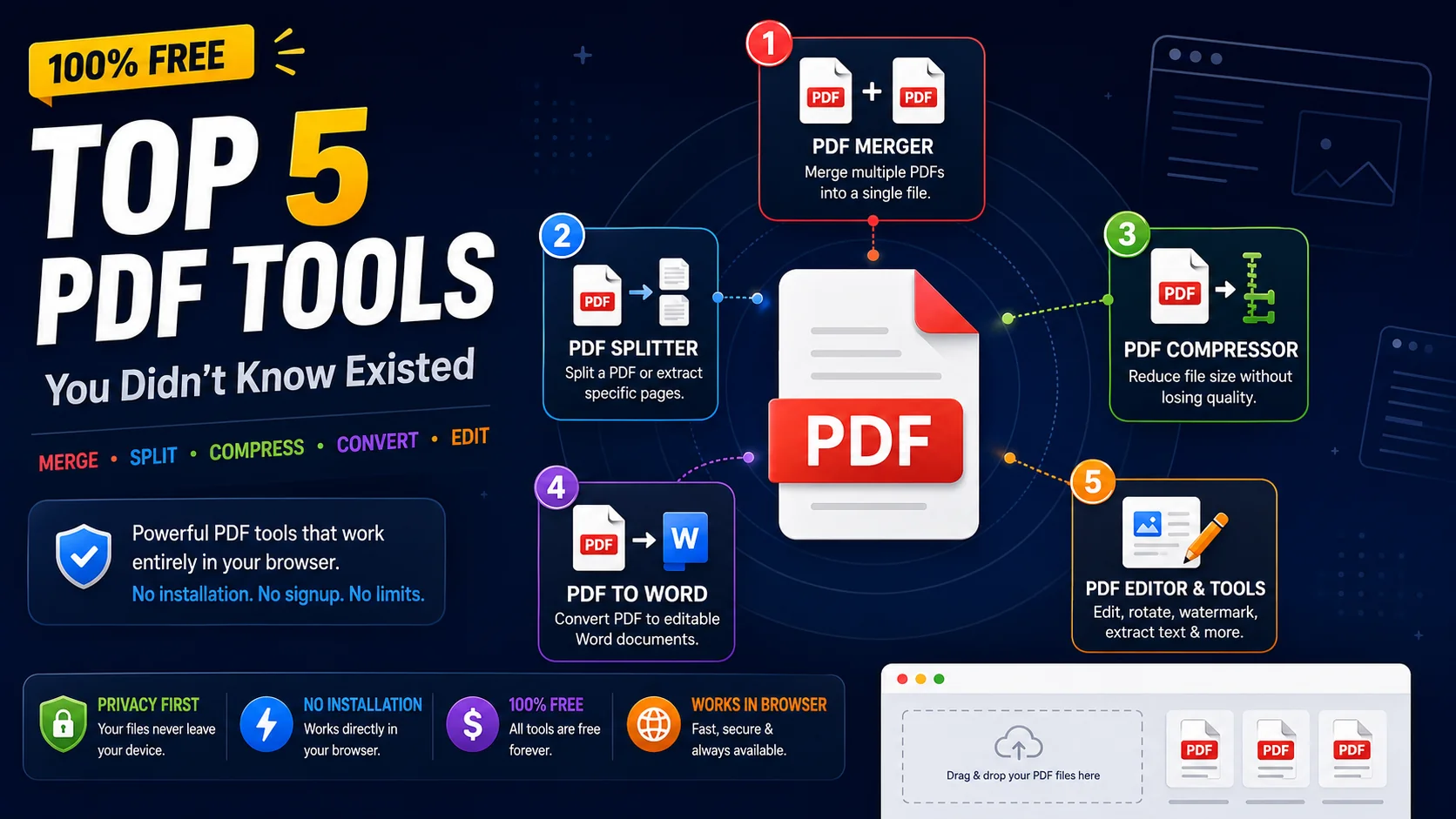
PDF files are everywhere in work and education — contracts, invoices, research papers, scanned forms — yet most people reach for expensive desktop software the moment they need to do anything beyond opening one. The five free tools below handle the most common PDF tasks entirely in your browser, with no installation, no signup, and no upload to a stranger’s server.
1. PDF Merger
The PDF Merger combines multiple PDF files into a single document. It is perfect for building a comprehensive report out of separate chapters, stitching together scanned pages, or assembling all the appendix material for a submission into one clean file.
Why you need it:Save time by merging invoices, contracts, or academic papers without installing software. Drag your files in, arrange them in the order you want, and download a single combined PDF in seconds. The original files are never uploaded — the merge happens entirely in your browser.
2. PDF Splitter
The PDF Splitter extracts specific pages from a PDF or splits a large document into smaller files. It is exactly what you need when a 200-page report must be shared as just the relevant five pages, or when you want to split a quarterly document into monthly pieces.
Why you need it:Share only the relevant section of a long document, isolate chapters for collaboration, or break a giant scan into manageable files. Like the merger, the splitter runs locally — useful for confidential documents you cannot hand to a random online uploader.
3. PDF Compressor
The PDF Compressor reduces PDF file sizes without significant quality loss. It is essential for email attachments that exceed size limits, web uploads that reject large files, and archiving old documents without consuming unbounded storage.
Why you need it:Most size limits (often 10–25 MB on email and many web forms) trap people into the tedious work of splitting a file or hunting for another sharing method. Compressing first usually solves the problem in one step and keeps the document intact.
4. PDF to Word Converter
The PDF to Word Converter turns a PDF document into an editable Word file. It is perfect for updating contracts, modifying templates, or extracting the text out of a PDF that you only have in read-only form. Once it is in Word, you edit normally and can re-export to PDF if needed.
Why you need it: PDFs were designed to be a final, immutable format, which is great for distribution and terrible for editing. Round-tripping through Word is the fastest way to make a small change to a PDF you did not author without retyping the whole thing.
5. PDF Editor & Tools
The all-in-one PDF Tools hub bundles the merger, splitter, compressor, and converters alongside utilities for rotating pages, deleting pages, extracting text, adding watermarks, and pulling pages out into images. It is your one-stop collection for any PDF task that does not need a full desktop suite.
Why you need it:Rotate a mis-scanned page, delete a section you no longer need, extract the text for a search index, or watermark a draft for review — all without leaving the browser. Having every utility in one place saves you from keeping a dozen bookmarked tabs straight.
Why Browser-Based PDF Tools Win
All our PDF tools run in your browser with no software installation required. Your files are processed securely and never stored on our servers, which has three practical consequences that help you every time you use them:
- Speed: No upload or download means you wait only for your own machine, not for a queue on a remote server.
- Privacy: Sensitive documents never leave your device, which is critical for contracts, financial statements, and personal records.
- Cost: Without server infrastructure to maintain for every conversion, the tools can stay genuinely free, with no signup or trial limits.
How to Chain the Tools for Bigger Jobs
A single PDF tool solves a single step, but most real-world jobs are a sequence of steps. Once you understand the pieces, chaining them lets you handle workflows that look impossible for a “free” tool at first glance. For example, to send a vendor only the relevant pages of a large contract, you would split out the pages you need, then compress the result so it fits the email limit — a two-tool chain that takes under a minute.
A few other combinations worth remembering:
- Merge then compress for a submission package — combine your chapters into one file, then shrink it to meet an application portal’s upload cap.
- Convert then edit — turn a PDF into Word, make your changes, and re-export to PDF. This is the cleanest path when you need to revise text you did not author.
- Convert to image then watermark for proofs — export page images, stamp them “DRAFT”, and send a version that cannot be mistaken for final.
- Extract text then search — pull out the plain text of a scanned archive so it becomes searchable across your files.
What to Check Before You Trust a PDF Tool
Not every free PDF tool deserves the trust the word “free” implies. Many free tiers are loss leaders designed to push you toward a subscription, and a few are outright risky because they upload documents you never intended to share. Before you depend on any tool for sensitive work, run it through this quick checklist:
- Where does processing happen? A tool that works entirely in your browser keeps your file on your device. A tool that uploads to a server should state, in writing, what happens to the upload after processing.
- Are there surprise limits? “Free” that silently caps you at two files a day or adds a watermark is not really free — it is a trial wearing a different name.
- Does the output look right? Run one test file through and inspect the result before trusting a batch job. Formatting can shift in conversion, and you want to catch that on a sample, not on a hundred documents.
- Is the tool actively maintained? An abandoned tool may fail silently on newer file formats. Prefer tools that are updated and document what they support.
Making Browser PDF Tools Part of Your Routine
The real value of a browser-based PDF toolkit is not any single one of these tools — it is that the whole collection is always one tab away, with no install, no licence, and no sync between devices. Bookmark the hub once and it becomes as close as any desktop app, but with the added benefits of local processing and a consistent interface on every machine you use.
For most knowledge workers, the honest assessment is that the heavyweight desktop suites are overkill. The merge, split, compress, convert, and annotate tasks that fill an average week are all covered by the five tools above, and they complete faster in the browser than a bloated install would even launch. If you have been paying for a PDF editor “just in case”, try a month of the browser workflow first — you may find the just-in-case never actually arrives.
Frequently Asked Questions
Are these PDF tools really free with no hidden limits?
Will my PDF files be uploaded to a server?
Do the tools work on large PDFs?
Can I edit the text inside a PDF with these tools?
Which file formats can I convert PDFs to and from?
Handle any PDF in your browser
Open the ToolWise PDF Tools hub to merge, split, compress, convert, and edit PDFs — free, with no signup, and with every file processed locally on your device.
Open PDF Tools →