JSON Formatter Guide: Pretty-Print, Minify, Validate & Debug
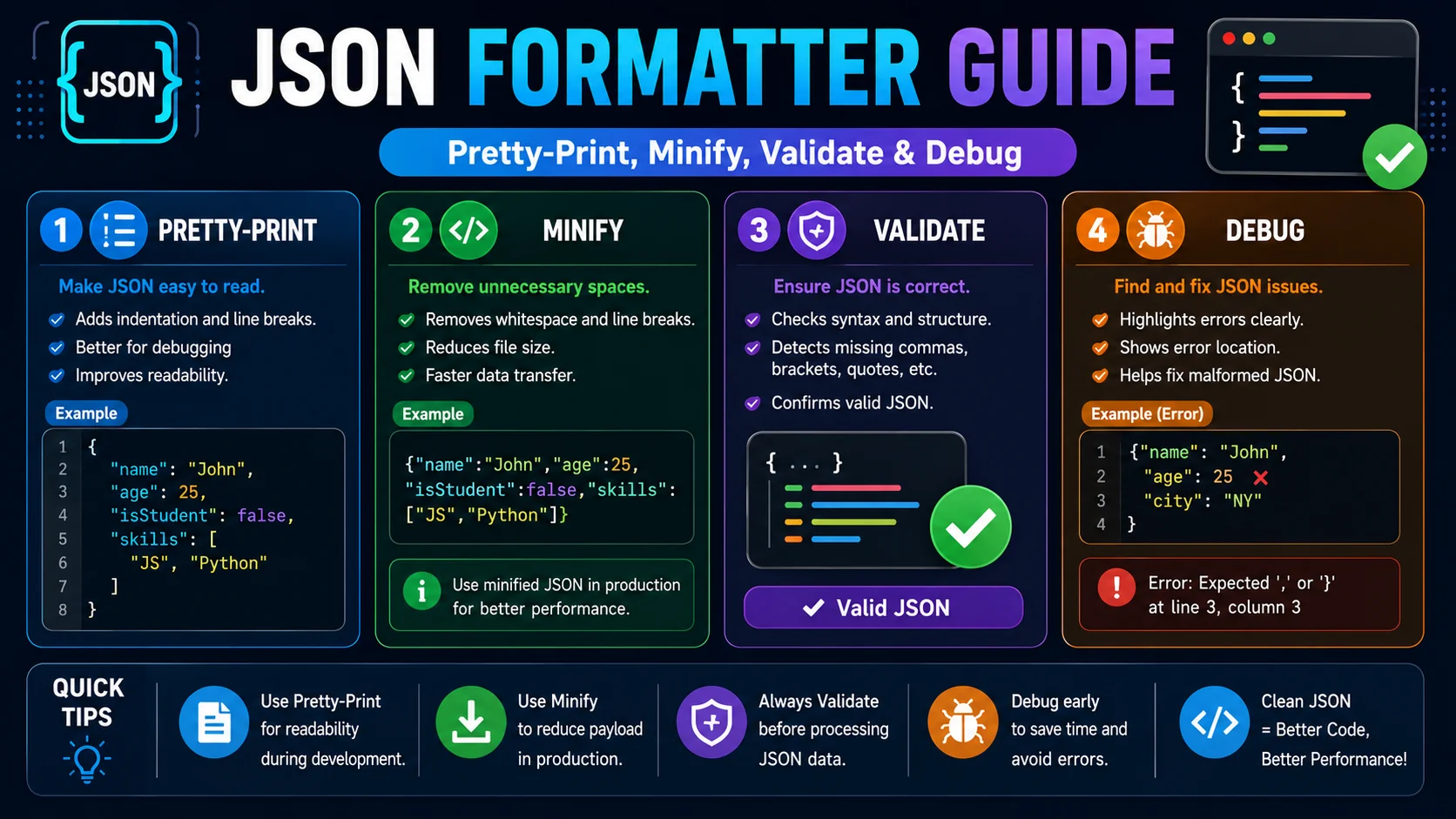
JSON is the lingua franca of the modern web — every REST API, most config files, and a large share of NoSQL databases speak it. A formatter is the single most-used tool in a developer’s kit, yet most people only use it to add indentation. This guide covers the four things a real formatter does: pretty-print, minify, validate, and let you navigate the structure.
What JSON Is and Why Formatting Matters
JSON — JavaScript Object Notation — is defined by RFC 8259 as a text format for serializing structured data. It is built on exactly two structures: an object, which is an unordered set of name/value pairs written between curly braces, and an array, which is an ordered list written between square brackets. Values can be strings, numbers, booleans, null, or nested objects and arrays. A valid JSON document is exactly one such value.
The grammar is strict on purpose: a single parser can read any conforming JSON, anywhere, with no ambiguity. The cost of that strictness is that JSON returned by a server — often minified to save bytes — is hard to read by eye. A formatter parses that dense string and re-emits it with controlled whitespace, giving you a file you can actually debug.
Pretty-Print vs Minify: Two Modes, Two Goals
Pretty-Print
Adds indentation and line breaks so a human can read the structure. Use it while debugging, writing docs, editing config files, or pasting into a code review comment. Two spaces is the most common indent; four is acceptable if you prefer extra visual separation.
Minify
Strips every byte of optional whitespace to produce the smallest valid representation. Use it for production payloads where bytes cost bandwidth — API responses, static fixtures served from a CDN, or any JSON that ships over the wire.
The two operations are exact inverses on the data: pretty-print a minified payload, minify the result, and you recover the original bytes. A formatter that round-trips through a parser guarantees this, which is why re-formatting is lossless on the data even though it transforms the bytes.
Syntax Highlighting and the Tree View
For a few hundred lines, syntax-highlighted code is enough to read JSON. Beyond that, a hierarchical tree view earns its keep: each object and array collapses to a single line with a count of its keys or items, and you expand only the branches you care about. When you are navigating an API response with seven levels of nesting and a dozen sibling arrays, the tree view is the difference between scrolling for ten minutes and clicking three times.
Highlighting conventionally maps each JSON value type to a colour: green for strings, orange for numbers, purple for the literals true, false, and null. Once your eye learns the palette, you can scan a payload for the wrong type — a string where a number was expected, a boolean where an object was expected — almost as fast as the parser can flag it.
The Five Most Common JSON Errors
- Trailing commas. JSON forbids a comma after the final element of an object or array.
{"a": 1,}is invalid;{"a": 1}is fine. JavaScript permits trailing commas, which is why the error trips up so many developers moving between the two. - Single-quoted strings. JSON requires double quotes around every string and every key.
{'a': 'b'}fails;{"a":"b"}passes. - Unquoted keys. Object keys must be strings in double quotes.
{a: 1}is a SyntaxError;{"a": 1}is the only legal form. - Missing commas between elements. Two adjacent values need a comma:
{"a": 1"b": 2}is invalid. A validator will point you at the position of the missing separator. - Invalid escape sequences. Only a defined set of two-character escapes (
\n,\t,\",\\,\uXXXX, and a few others) are legal in JSON strings. A bare backslash before an arbitrary character — common when pasting Windows paths — is a parse error.
A formatter that validates surfaces the exact position and message for each of these. For debugging, that pinpoint is the feature you actually use; the indentation is the bonus.
Best Practices for API and Config Files
- Pick one indentation and stick to it. Two spaces is the de-facto standard for web work; a formatter enforces this in one click instead of leaving it to each editor.
- Use ISO 8601 for dates.
"2026-07-04T10:30:00Z"is unambiguous across every parser; a localised string like"04/07/2026"is not. - Encode text as UTF-8. JSON is officially UTF-8; mixing encodings causes mojibake the moment a non-ASCII character enters the data.
- Validate on ingest. Any JSON that crosses a trust boundary — a webhook payload, a third-party response, a user-uploaded config — should be parsed by a validator before being trusted. A formatter doubles as that validator at zero cost.
- Sort keys in version control. For config files under git, alphabetical key order makes diffs readable and merge conflicts rarer.
- Avoid comments in JSON. Standard JSON has no comments; the temptation to add
// notesis what gave us JSON5 and JSONC. If you need comments, use a format that supports them rather than breaking standard JSON parsers.
JSON vs JavaScript: The Strict Subset That Trips Everyone
The single most common source of JSON errors is the assumption that anything valid in JavaScript is valid JSON. It is not. JSON is a deliberately strict subset of JavaScript object-literal syntax, and four “comfortable” JavaScript habits break it immediately: single-quoted strings, unquoted object keys, trailing commas, and comments.
Each of those exists in JavaScript because it makes the language pleasant to write by hand; each was removed from JSON (RFC 8259) because it makes parsing reliably interoperable across every language, not just JavaScript. The moment you paste a JavaScript object into a JSON field — an api.json, a webhook body, a config file — you are crossing from a superset into a subset, and the subset simply rejects the extras. Keep the two mentally separate and most “mysterious” JSON errors disappear, because they were never JSON to begin with.
Numbers, Strings, and the Traps in Between
JSON’s grammar looks simple, but a handful of subtle rules catch even experienced developers. The number type is the classic example: JSON has exactly one numeric type, so it cannot distinguish an integer from a float, there is no room for NaN or Infinity, and leading zeros are illegal — 007 is not a valid JSON number. Any of these will make a strict parser throw.
- Escape every backslash. Windows-style paths like
C:\tmpmust be written asC:\\tmpin a JSON string, or the bare backslash becomes an invalid escape. - There is no
undefined. JavaScript hasundefined; JSON only hasnull. Seriatizing a value that isundefineddrops the key outright, which changes the shape of the object. - Floats can lose precision. Because JSON numbers are binary floating-point at the parser’s discretion, very large integers or exact decimals can round on the way through; keep that in mind for financial calculations.
- Strings are UTF-8 only. Any non-UTF-8 byte sequence produces mojibake the instant it crosses a boundary.
Working With Large Payloads Without Losing Your Place
Below a few megabytes, a formatter can parse, pretty-print, and render any JSON in the blink of an eye — but production payloads are not always small. Log batches, product catalogues, and analytics exports routinely reach tens or hundreds of megabytes, and at that scale the familiar approaches break down: a pretty-printer that loads the entire object graph into memory at once will stall the tab or exhaust the parser.
The practical playbook is to choose the right tool for the size. For large data sets, prefer line-delimited JSON (NDJSON)— one JSON value per line — which can be processed incrementally, one record at a time, rather than as a single giant object. If you must work with one enormous document, use the formatter only to inspect small excerpts (the tree view is built for exactly this), and reach for a streaming parser or a real database for the heavy lifting. Knowing when a file has outgrown the “format in one click” category saves you from tools that appear to hang but are actually just drowning in bytes.
Frequently Asked Questions
What does a JSON formatter actually do?
What is the difference between 2-space and 4-space indentation?
Why does JSON fail when my JavaScript object works fine?
Should I sort the keys in my JSON?
How big can a JSON file get before I need to worry?
Is it safe to paste API keys or tokens into an online JSON formatter?
Format, validate, and navigate JSON in your browser
The ToolWise JSON Formatter pretty-prints or minifies, validates with exact error positions, shows a collapsible tree view, sorts keys, and downloads the result — all 100% client-side.
Open JSON Formatter →