5 Ways to Improve Your Writing with a Grammar Checker
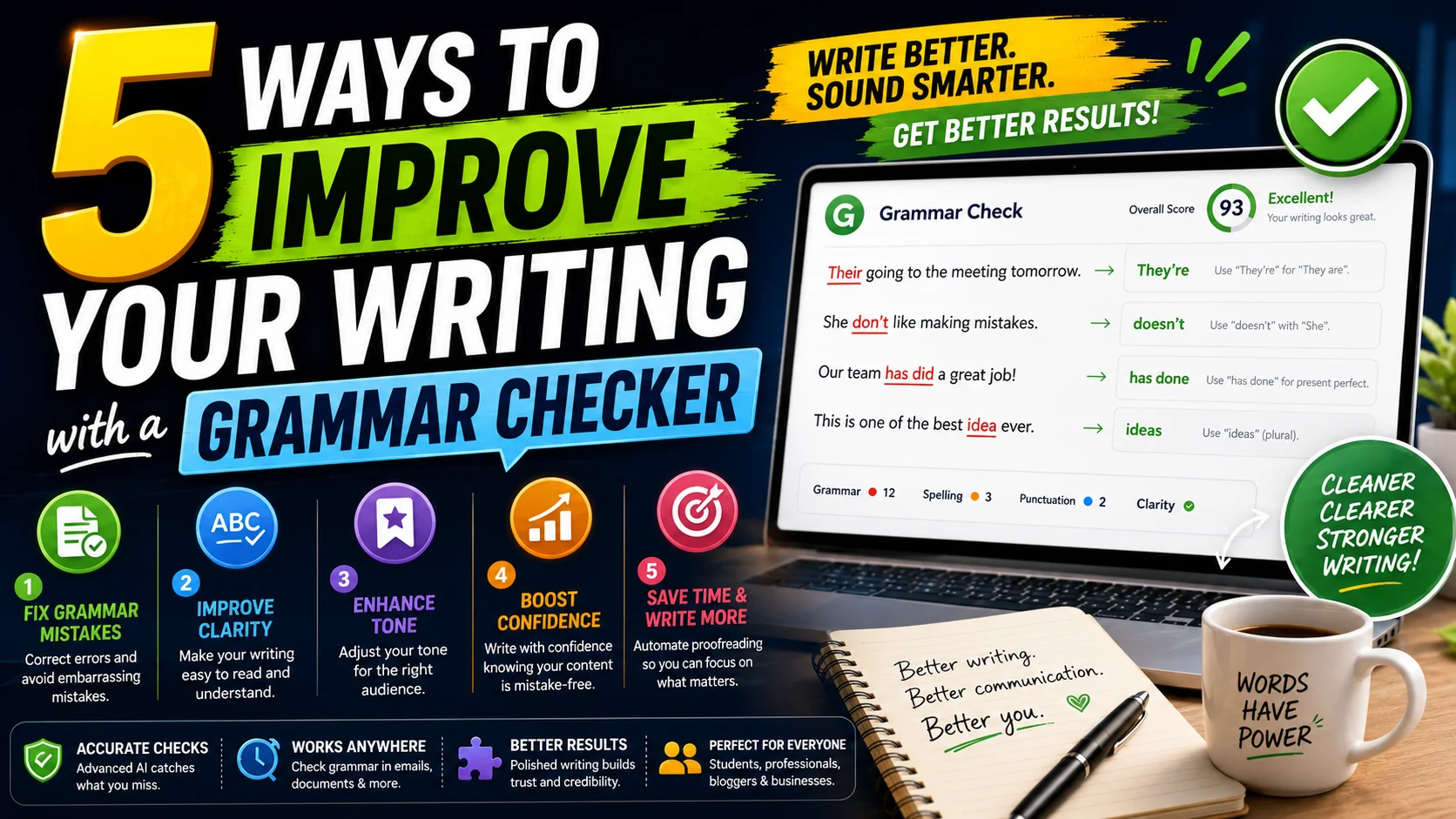
Whether you're drafting an important client email, writing a college essay, or preparing a resume, poor grammar can instantly undermine your credibility. A reliable grammar checker isn't just about fixing typos—it's about elevating your entire communication style.
The Most Common Grammar Mistakes
Most writing errors fall into a handful of recurring categories. Knowing them helps you spot them faster — even before the AI highlights them:
| Mistake | Wrong | Correct |
|---|---|---|
| Their / There / They're | Their are many reasons | There are many reasons |
| Loose vs. Lose | Don't loose this | Don't lose this |
| Its vs. It's | Its a beautiful day | It's a beautiful day |
| Affect vs. Effect | The affect of weather | The effect of weather |
| Fewer vs. Less | Less items in stock | Fewer items in stock |
| Your vs. You're | Your the best | You're the best |
| Subject-Verb Agreement | The list of items are long | The list of items is long |
| Comma Splices | I love coffee, it's my favorite drink | I love coffee; it's my favorite drink |
1. Catch Embarrassing Typographical Errors
Even the best writers make mistakes. Typing too fast leads to transposed letters, missing words, and incorrect punctuation. An AI grammar checker acts as a highly trained second pair of eyes that never gets tired. It instantly catches errors like using "their" instead of "there," or "affect" instead of "effect."
2. Eliminate Passive Voice
Passive voice makes your writing sound weak and evasive. For example, instead of writing "The report was finished by the team," active voice demands: "The team finished the report." Advanced grammar checkers flag passive sentence structures and suggest punchier, more direct alternatives.
3. Improve Sentence Variety and Flow
If all your sentences are the exact same length, your writing will sound robotic. A good tool will analyze the structural flow of your paragraphs and suggest breaking up overly long run-on sentences, or combining short, choppy ones.
4. Adjust Your Tone for the Right Audience
Are you sounding too casual for a business proposal? Or too stiff for a personal blog post? Modern AI writing assistants can analyze the tone of your text (e.g., confident, joyful, urgent, or formal) and recommend vocabulary swaps to align with your intended audience. Here's a quick guide:
| Context | Tone Goal | Tone Words to Avoid |
|---|---|---|
| Cover letter / resume | Confident, professional | "I think", "kind of", "sort of" |
| Client email | Polite, clear | Slang, emojis, "Hey" |
| Academic paper | Formal, neutral | Contractions, rhetorical questions |
| Social media / blog | Conversational, friendly | Jargon, passive voice |
| Sales / landing page | Persuasive, urgent | Hedging, weak verbs |
5. Learn as You Write
The best part about using a grammar checker is the educational aspect. By seeing the same mistakes flagged repeatedly, you naturally begin to learn and adapt. Over time, your baseline writing skills will improve without even realizing it.
Pre-Publish Writing Checklist
- ✅ Run the full text through a grammar checker (don't stop at the first fix)
- ✅ Read the text aloud — your ear catches what your eyes miss
- ✅ Check for consistency in spelling (US vs. UK English), punctuation, and capitalization
- ✅ Verify names, dates, and figures against the source
- ✅ Confirm the tone matches the audience and platform
- ✅ Do a final read on a different device or print preview
A Grammar Checker Is More Than a Spell Check
A common mistake is to lump grammar checkers together with the spell-check that has shipped inside word processors for decades. They are not the same job. A spell-checker answers one narrow question: does this word exist in the dictionary? It has no idea whether a correctly spelled word is the wrong word for the sentence.
A grammar checker analyses how words work together. It looks at subject-verb agreement, pronoun reference, tense consistency, punctuation boundaries, and sentence structure — the relationships between words rather than the words themselves. That is why it can catch “Their are many reasons” while a spell-checker happily passes it: every word in that sentence is spelled correctly, but the sentence is still broken. Understanding that distinction tells you what the tool can be trusted to do — and what still needs a human eye.
It also explains why grammar checkers occasionally offer suggestions that look wrong. Because they reason about structure and probability rather than vocabulary, they sometimes misread a deliberate fragment, a poetic inversion, or a specialist term. The tool is making an educated guess about your intent; you are the one who actually has the intent. Treat its confidence as a signal to reconsider, not as an instruction to obey.
Errors Tools Catch, and Errors They Miss
Knowing the boundary of a grammar checker’s ability makes you use it better and spares you the frustration of trusting it for the wrong thing.
- It catches well. Homophone swaps (their/there, its/it’s, affect/effect), subject-verb agreement across long clauses, misplaced apostrophes, comma splices, dangling modifiers, and inconsistent tense within a sentence.
- It struggles with. Logical contradictions that are grammatically perfect (“The deadline was last Tuesday” when it was actually Thursday), factual errors, and claims that need domain knowledge to verify.
- It cannot replace. Your editorial judgement about emphasis, rhythm, and whether a sentence is true to your voice. A checker optimises for correctness; you optimise for meaning.
The practical upshot is to run the checker at the right stage. Use it immediately after drafting to clear mechanical errors, but do not expect it to fact-check or restructure your argument — that part is on you.
Grammar vs Style: Two Different Lenses
“Is this correct?” and “does this read well?” are different questions, and a good writing tool should answer both without confusing them. A comma may be grammatically optional and still the wrong choice for the rhythm you want; a sentence may be perfectly grammatical and still bloated with wordiness, repetition, or a weak verb.
Advanced checkers separate the two. Grammar suggestions fix outright errors; style suggestions nudge toward concision and clarity — replacing “in order to” with “to”, flagging the passive voice, or pointing at a sentence that repeats the same word three times. You will often decline these suggestions, and that is fine: style is a matter of taste. The value is in being shown the options, not in accepting every one.
When you are writing for a formal audience, tighten toward the tool’s style suggestions. When you are writing something personal or opinionated, loosen up and let the checker serve as a backstop for grammar only. The same tool serves both roles; you decide which lens matters on any given piece.
What to Look For When Choosing a Checker
Not all grammar checkers are equal, and a few minutes spent choosing one pays off every day after. Here is what separates a genuinely useful tool from a gimmick:
- Explanations, not just edits. The best tools tell you why a change is suggested. That explanation is what turns the tool into a teacher instead of a crutch.
- Privacy. A checker that processes text in your browser never sends your draft to a server to be stored. For confidential business or personal writing, that is non-negotiable.
- Tone awareness. Being able to set a target tone — formal, friendly, academic — so suggestions match your context instead of flattening your voice.
- Speed and seamlessness. Inline, instant feedback beats a submit-and-wait flow, especially when you are iterating on a sentence.
The ToolWise Grammar Checker ticks all four: it analyses text instantly, explains each suggestion, supports tone adjustments, and never retains your text. Whichever tool you pick, prioritise the explanation over the correction — that is the part that makes you a better writer over time.
Turning Every Correction Into a Lesson
The highest-leverage way to use a grammar checker is not to accept its edits, but to notice which edits you keep needing. If the same two mistakes show up in everything you write, that is your personal blind spot, and fixing it once is worth a thousand automated corrections.
Keep a short running list of your recurring errors — the homophone you always reach for, the comma rule you keep getting wrong, the agreement slip that creeps in when sentences grow long. Review it before you send anything important. A month of that discipline lifts your baseline writing more than a month of any tool usage alone, because the checker works best in tandem with a writer who is actually paying attention to why the suggestions keep appearing.
Frequently Asked Questions
Are free grammar checkers accurate?
Will a grammar checker help with style?
Is my text private when I use an online grammar checker?
Can a grammar checker help non-native English speakers?
What about tone — can a checker adjust formality?
Ready to perfect your writing?
Use the ToolWise AI Grammar Checker to analyze your text for free. Get instant corrections and style suggestions.
Check Your Grammar Now →