QR Codes in Marketing: Custom Design Guide
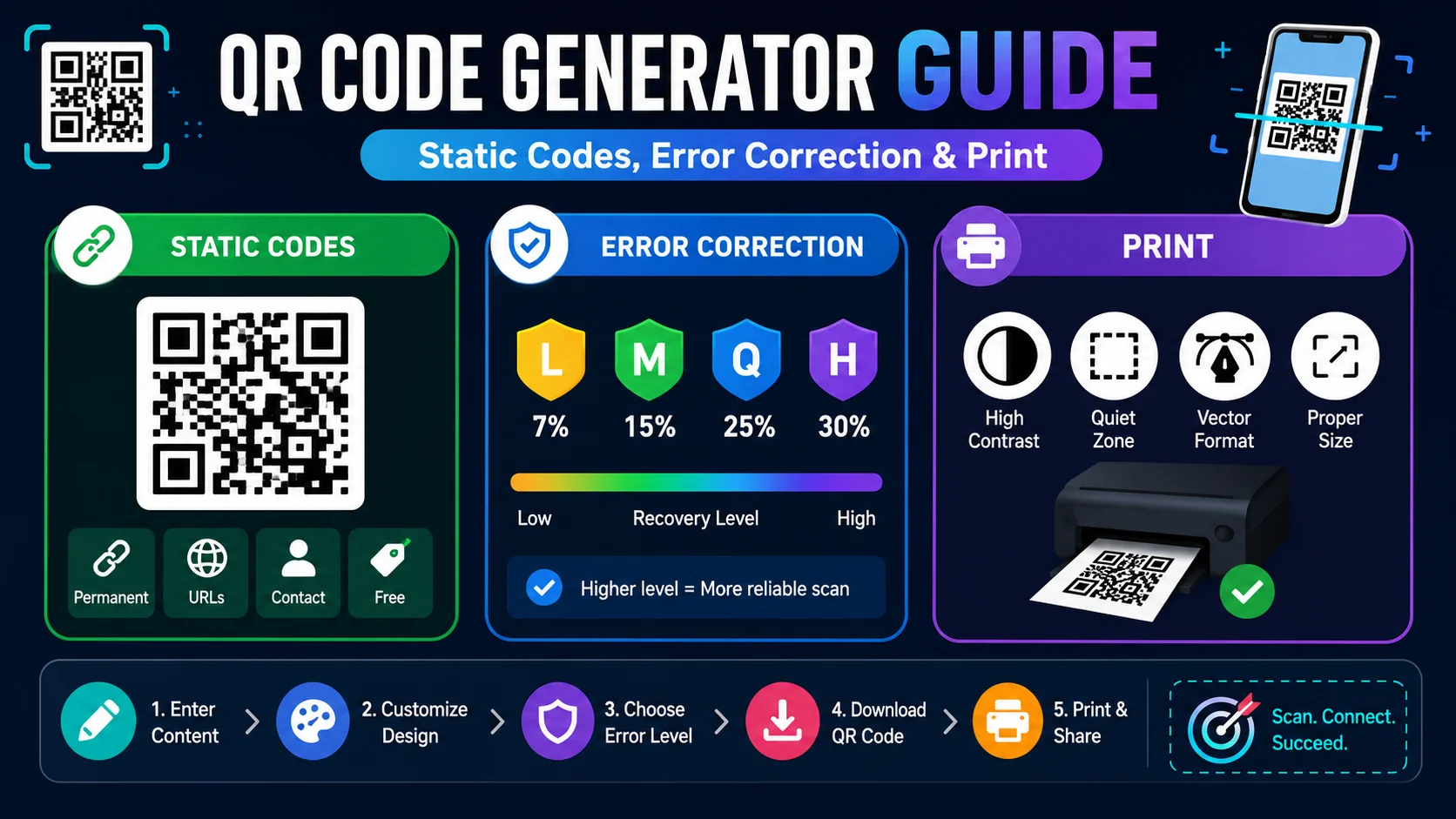
QR codes have transitioned from a niche barcode standard to a foundational marketing tool. By seamlessly bridging the gap between physical materials and digital experiences, QR codes drive consumer engagement.
Why QR Codes Are Essential for Modern Marketing
In a world where attention spans are limited, typing long URLs into a mobile browser is a significant source of user friction. QR codes allow customers to instantly access web pages, download apps, join email lists, or pre-populate SMS support drafts with a single camera scan.
Whether embedded on restaurant menus, real estate signboards, event pamphlets, or product packaging, QR codes convert physical eyeballs into digital traffic channels.
Types of QR Codes
The QR specification (ISO/IEC 18004) supports several data modes and use cases. Choosing the right type for your campaign is the first step:
| Type | Encodes | Best For |
|---|---|---|
| URL | A web address | Landing pages, menus, product info |
| vCard / MeCard | Contact details | Business cards, networking events |
| Wi-Fi | SSID + password | Cafés, hotels, guest networks |
| mailto: link | Support and feedback forms | |
| SMS | Pre-filled SMS body | Text-to-win promotions |
| Geo | Latitude / longitude | Tourist maps, event venues |
| Crypto | Wallet address | Donations, crypto payments |
Branded vs. Plain QR Codes
Generic, default black-and-white square QR codes are functional, but they lack branding, look sterile, and struggle to generate high user scan rates. Modern QR generation libraries allow you to transform the visual impact of your codes:
- Add Center Logos: By embedding your company logo in the center of the code, you immediately reassure users that the destination link is safe, authentic, and associated with your brand. Keep the logo under 30% of the total area to preserve scannability.
- Apply Brand Colors: Replacing standard black squares with your brand's color schema makes the code feel like an intentional part of your designer template. Always maintain a contrast ratio of at least 4:1 between the foreground and background.
- Customize Dot & Corner Shapes: Rounding the edges of the dots or position-tracking squares makes the overall image look modern, organic, and friendly. Rounded styles can boost scan rates by up to 20% in retail environments.
- Add a Call-to-Action Caption: A short caption like "Scan to view the menu" or "Get 10% off" increases scan rates dramatically. Never assume users will know what the code does.
5 Campaign Ideas That Work
- Restaurant Menus: Replace paper menus with QR codes. Saves printing costs and lets you update items daily without reprinting.
- Product Packaging: Link to demo videos, ingredient transparency, or loyalty-program enrollment.
- Real Estate Signage: Send scanners to virtual tours, floor plans, or a booking calendar.
- Event Tickets: Embed the QR code in emailed tickets; the venue scans them at the door — no app needed.
- Print Ads & Billboards: Add a "Scan to learn more" call-to-action to drive online traffic from offline impressions.
Design Rules for Flawless Scans
Custom styling should never come at the expense of functionality. Keep these critical design parameters in mind:
- Stark Contrast: Always ensure the foreground elements (the dots) are dark and the background is light. If you generate a light yellow QR code on a white background, camera sensors will fail to scan it. Aim for a contrast ratio of at least 4:1.
- Respect the Quiet Zone: Keep a clear margin equal to at least 4× the size of one module (dot) around the outside border of the QR code. If surrounding text or graphics creep too close, the scanner won't be able to isolate the code.
- Keep Data Length Short: The more characters you encode into a static QR code, the denser and more compact the grid becomes. If you need to link to a very long URL, use a URL shortener first. This keeps the grid clean and easier for low-end cameras to read.
- Test on Multiple Devices: Test with at least three phones (iOS + Android) and under various lighting conditions before going to print.
Print Size Guide (Minimum Dimensions)
A QR code that scans perfectly on a screen may fail when printed. Use this guide to pick the right physical size for your medium:
| Use Case | Minimum Size | Recommended | Scan Distance |
|---|---|---|---|
| Business card | 1.5 × 1.5 cm | 2.5 × 2.5 cm | ~15 cm |
| Flyer / poster | 3 × 3 cm | 5 × 5 cm | ~30 cm |
| Billboard / signage | 30 × 30 cm | 60 × 60 cm | 2–10 m |
| Product packaging | 1 × 1 cm | 1.5 × 1.5 cm | ~10 cm |
Print Verification Guide
Before printing thousand-copy batches of your custom QR codes on physical banners, packaging, or cards:
- Export High-Resolution: Always generate your QR codes at high dimensions (like 1000px) or SVG formats to prevent blurring or pixelation when printed. PDF vector is ideal for professional print shops.
- Real-World Lighting Tests: Scan your mockups under low-light or high-glare environments to ensure consumer devices can process the code reliably.
- Test on Multiple Phones: Older Android devices can be less forgiving with custom designs. Always verify on at least 3 different phone models.
- Check for Distortion: If your print medium curves (bottles, mugs), request a cylindrical-friendly test before approving the full run.
Measuring Whether Your QR Campaign Works
A QR code that nobody scans is a decoration, not a channel — and the only way to know which one you have is to measure. The most practical approach is to give every code its own UTM parameters so the scan traffic shows up as a distinct line in your analytics: utm_source=qr, utm_medium=print, and a utm_campaign that names the specific placement or audience.
Beyond raw clicks, two signals tell you whether the placement is doing real work. First, scan-to-action rate — how many of the people who scanned the code actually completed the thing it pointed them to. Second, repeated scans, which indicate the code lives somewhere durable (a menu, a card holder) and returns value over time. If a placement gets impressions but zero scans, the problem is usually the call-to-action or the physical context — the code itself is rarely the culprit.
Seasonal and Evergreen: Matching the Code to the Job
- Evergreen assets — a menu, a contact card, an onboarding guide — suit static codes because the destination is permanent and a reprint would be pure waste.
- Promotional campaigns — a limited-time offer or a one-off event — suit dynamic codes if you want to change the destination mid-flight or track scans with vendor analytics.
- Interior signage and packaging — print thousands of copies once — favour static codes with a mob-optimised landing page that you will not need to change later.
- Testing and iteration — if you plan to experiment with the destination or the offer, a dynamic code lets you iterate without reprinting.
The deciding question is almost always: will this destination ever need to change after I print it?If the answer is no, a static code is cheaper, faster, and free of the ongoing dependency on a vendor’s servers. If the answer is yes, pay for the flexibility.
Avoiding the “Quishing” Trap in Public Spaces
If you use QR codes, it is worth understanding the one real security risk attached to them: an attacker can print a fake code on a sticker and paste it over a legitimate one, redirecting scanners to a phishing page that mimics the real destination. The threat is not in the QR format itself — it is in the physical sticker swap, which is why it is called “quishing.”
- For your own campaigns: put codes in hard-to-cover locations, behind glass where possible, and check physical placements periodically for tampered overlays.
- For your own safety: always read the URL preview the camera shows before tapping through, and never follow a QR code that appears to have been layered over another.
- For customer trust: pair the code with a printed URL in the same artwork, so a sceptical scanner has a visible fallback and can verify the destination matches.
Frequently Asked Questions
Are QR codes free to use commercially?
What is the difference between static and dynamic QR codes?
Why is my QR code not scanning?
Do QR codes expire?
Can QR codes be hacked?
What information should I encode in a marketing QR code?
Ready to create a branded QR code?
Use our free QR Code Generator to customize colors, shape styles, upload logos, and download high-resolution print-ready files instantly.
Generate Branded QR Code →